Sunday, January 24, 2021

How to Write an Appealing Linkedin Summary: Examples and Tips

The LinkedIn summary section is an opportunity for you to describe yourself and what you do.


Note that you have barely thirty seconds to do this.


So, the question now is, can you?


Unfortunately, when it boils down to LinkedIn summary, that is how long you have to convince your visitors because no one cares about spending the entire day reading your work history.


That is why you need to take this category seriously.


You should also know that the summary section requires brevity and deep thinking to compose.


It is a chance for you to express yourself and convince your prospects.


So you need to explain what you do and the impact that your brand will have on others.


In this article, we will discuss every step you need to know about the LinkedIn summary.


Additionally, we will share some tips and examples with you that you can follow to create an appealing LinkedIn summary section.


The LinkedIn Summary Example (About Section)


Most of the time, this section is under-utilized and often neglected by LinkedIn users.


On the LinkedIn platform, you should know that every section or category is an integral part that will help you push your brand forward.


Remember, the summary section is not the same as your headline.


Whether you're searching for a job, marketing your business, or trying to build a reputable brand, this section is significant in determining how strongly your brand will be to your target audience.


While LinkedIn headline gives you 120 characters to convince your audience, the summary section avails you 2,000 characters to do the same.


You can strengthen your about section in the first 300-350 words by including some of your personality traits, optimizing the terms that people will search, tell a bit of your career story and encourage a call to action from your prospects.


By writing a quality LinkedIn summary section, you have easily made your profile stand out from countless profiles on the platform?


For a second, do not think that it is enough to leave this section blank just because you have uploaded a professional profile picture, customized your LinkedIn headline, and detailed your education and work history.


No way, you will only be missing out on several opportunities if you think in this manner.


Remember that you'll never get a second chance to correct the first impression.


Therefore you must have in mind that LinkedIn summary is another way of making an excellent first impression.


Your summary section one crucial section that introduces what your brand is all about at the top of your profile.


It is also part of your introductory business card that includes your name, headline, a professional photo, education, contact, where you worked, and so on.


Whether your prospects are browsing the site with a desktop or mobile phone, this section will be so glaring to them. And this is because it is at the top of your profile.


When your target audience scrolls through your LinkedIn profile, the first three hundred characters of your summary is what they will see.


But then again, LinkedIn Recruiter, by default, will display your entire LinkedIn summary to your visitors.


LinkedIn Summary versus LinkedIn Recruiter (Left view versus Right view)


Both views are your chance to say "hello" and make a good impression in thirty seconds.


And when compared to other social media platforms, you should know that there is a high level of decorum and professionalism that your visitors expect when they click on your profile.


Though, the level of expectancy varies on the industry.


Regardless of this fact, your LinkedIn summary is an excellent opportunity to give your prospects a heads up of your personality.


Here, you can also let your prospective employers know little of you are and what interests you


The LinkedIn summary section provides a better opportunity for you to directly address your visitors and share different versions of yourself with them.


You can reveal different versions of yourself by sharing your professional accomplishments, hobbies, life motivations, and so on.


When potential customers, employers or recruiters search for your LinkedIn profile, your about section's content will display in the results.


Though, they might not give it as much relevance as they would with your job titles and descriptions, work experience, and so on.


However, it will generate enough attention and traffic to your page. It will equally set you apart from users and help rise above them.


By including keywords in your LinkedIn summary, a potential buyer may locate and hire you.


Adding keywords in your summary section increases visibility and presents opportunities to your doorstep.


Search for optimization tools that will help you analyze your LinkedIn profile for job opportunities.


Optimization tools will also reveal which keywords are missing.


Like we stated above, there are a few things that you need to include in your summary section to make it more discoverable to prospective employers.


Some of these things form an attractive hook, a well-constructed personal story, and optimized keywords.


Below are other tips that you need to follow to improve your LinkedIn summary.


TIP 1
Start strong


Judging by LinkedIn's default settings, only the first lines of your summary will be presented to your profile visitors.


It will just take seconds for them to click on the 'more' option to read your full summary.


The first three lines have about 290-310 characters, and that is all you have to make an impression on your profile.


If you can think and write creatively, you have to put in your skill to work by writing a catchy hook that calls your visitors to action.


If you can convince your reader enough to click the "see more" option, that will be okay.


Else, fill your summary with something vital that you will want your recruiters to know about you when they come around.


Ask yourself these questions to help you write a creative summary:


  1. What is it about you that sets you apart from the crowd?
  2. Why do you love what you do?
  3. What are your ambitions?
  4. What are your goals?
  5. Why motivates you about your current job?
  6. Are you passionate about your industry?
  7. What did your past jobs teach you?
  8. Have you learned something unique that you brought into your industry from other experiences?
  9. By answering these questions, they will help you uncover a persuasive opening statement.


TIP 2
Enrich your LinkedIn summary keywords


They say everything that you don't know is a secret.


When potential prospects or employers come on LinkedIn to search for capable hands, most of them start by searching for a specific combination of job titles, skills, and other keywords to find the right people.


Treasure this piece of information because it will help you get a clear idea of what is required.


When writing your summary, LinkedIn will show you some search queries that recruiters use to find your profile.


Go to your profile and look underneath your summary section.


There, you will see "search appearances" as one of its statistics.


When you find it, click on it to see a detailed report of your searches.


For instance, let us say this week alone, people found your profile after using a combination of keywords.


What this means is that the summary section is well optimized with relevant keywords.


But in case you cannot find any search appearance on your profile, then it means that your profile keywords are not optimized enough for your recruiter to see your profile.


You can use various optimization tools to help you compare your profile to other relevant job descriptions.


It will help you out with keywords that are missing to make your summary fully optimized.


So, whether you are a writer or not, use your summary to list your vital skills and leave the rest for technology to handle the rest.


TIP 3
Be sincere about your career


One mistake that most users make is uploading their entire history on the LinkedIn summary at once.


While this may work for other social media platforms, you should know that LinkedIn summary is not a place for such practice.


However, it is the right place to show off your skills, accomplishments, and what makes you a professional in your industry.


People willing to hire will be more interested in this.


It's the perfect place to add context to your career path, show off your expertise, as well as dig into what makes you remarkable at your job.


Never fall into the temptation of misusing this privilege.


Always keep it brief as well as straight to the point.


If you frequently moved from one company to another, drop some hints on why you had to make such moves.


Your prospective employers will be curious about this.


They will also be curious to see what job titles and companies you worked have work for in the past.


They may do this to get get a glimpse of how far you have progressed in your career.


Again, you must do this because they will be curious to know why you switched from one company to another.


You can utilize the power underneath your profile by sharing your area of interest in a specific discipline within your field.


You can use it to motivate your prospective colleagues if you are moving into a managerial position.


By adding these ideas into your summary, you will create a colourful flying start.


The LinkedIn summary is a place to polish your career and make it shine to the world.


For more impact, use your summary section to spotlight the accomplishments you have gotten over the year.


Let us imagine that you're a sales manager that has worked for two different brands or organizations.


You can say something like, "As a sales manager, I was able to increase sales by an average of 80% in my first year of working for two different organizations."


A Review of Linkedin Summary Tips:


  1. Start strongly, and make your opening statement as catchy as possible.
  2. Get an optimization tool.
  3. Make sure your search terms are fully optimized.
  4. Inject some of your personality without fear
  5. Put the spotlight on your accomplishments.
  6. Keep your LinkedIn summary short and readable.
  7. Never overuse special characters.
  8. In the end, use a "call to action".


LINKEDIN SUMMARY EXAMPLES


Below are some samples of what a powerful LinkedIn summary should be. With these examples, you will have a better mental picture of what a LinkedIn summary is all about.


Note: these examples are only to inspire you to create something similar or better. You are advised not to copy them word for word.


Example 1
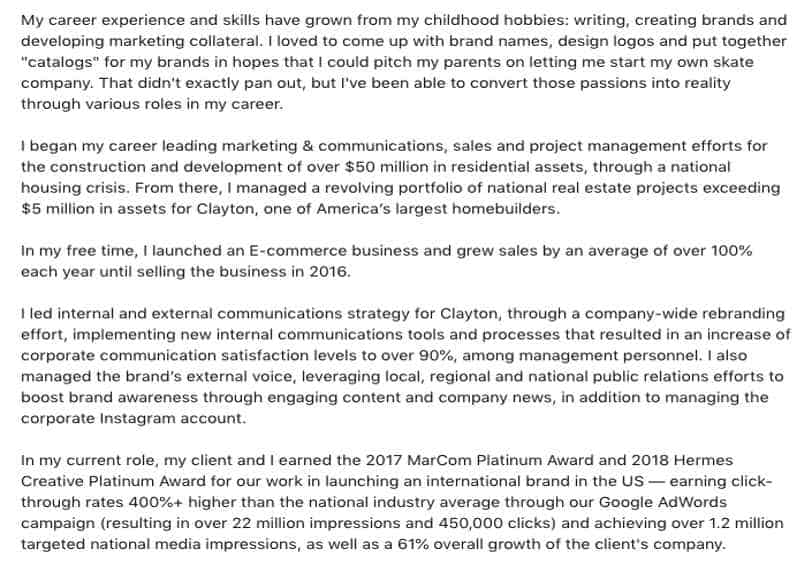


LinkedIn Summary Example 1


Here, you can see how the owner of this summary contextualized his personal experiences and used them to show off an entrepreneurial spirit.


Example 2
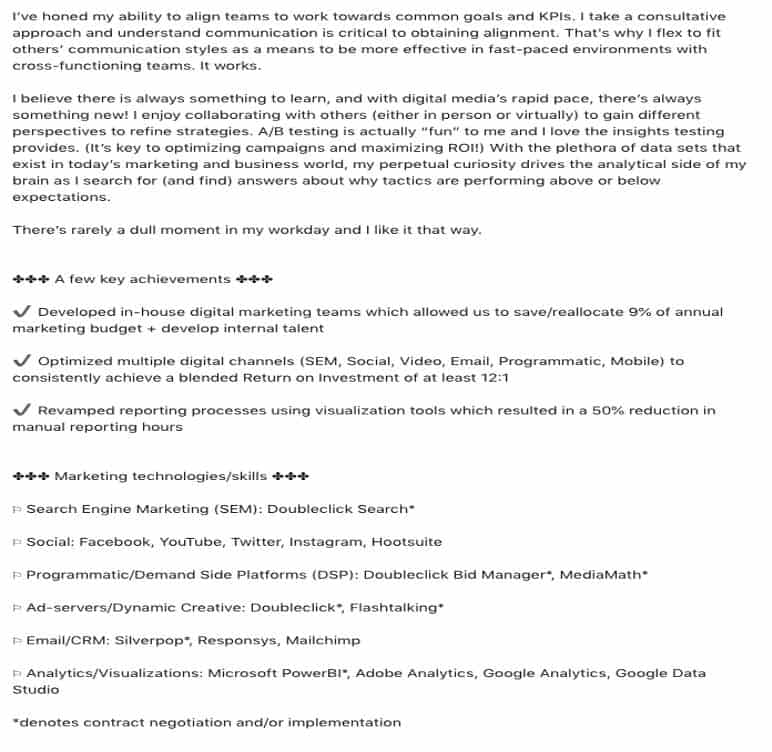


LinkedIn Summary Example 2


In the second example, we should note how the writer opened the summary with a confident tone.


We can also see how passionate the writer is about their work.


Pay close attention to how each character was utilized correctly.


But once again, remember that it is not advisable to use up many special characters while writing your summary.


It will make your page come across as childish.


Example 3
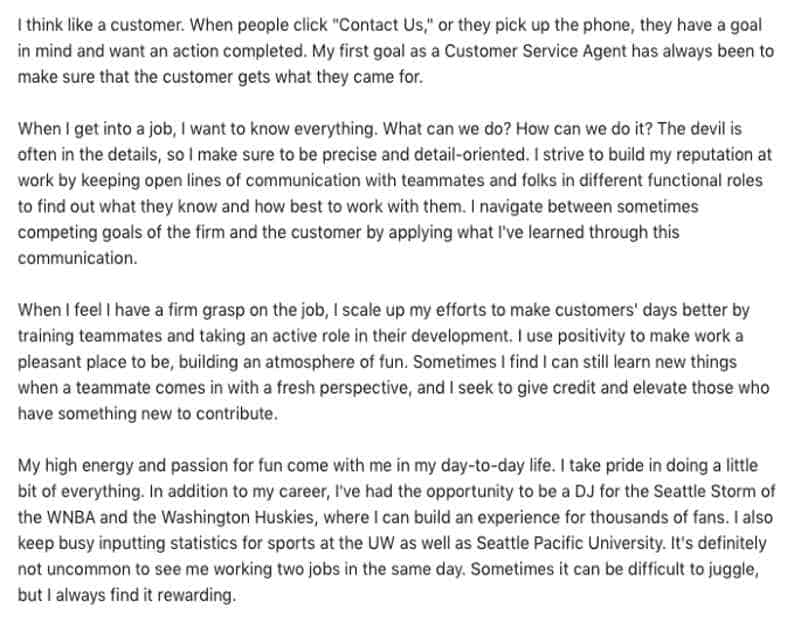


LinkedIn Summary Example 3


In this example, the writer essentially displayed his or her core interests and a little of their personality.


The takeaway point here is that the writer was demonstrated progress in his or her career while giving prospective recruiters a chance to view their work attitude.


Conclusion
One point you should know is that not everybody is a writer.


Again, not everyone will care if your summary is well narrated or not. Nonetheless, to be on the risk-free side, use your summary section to outline your skills, expertise, and certifications.


It will definitely help improve your career on LinkedIn.

Friday, January 22, 2021

2 Crucial Ways on How to Start and Grow Your Linkedin Group

Every business owner wants a business that will bloom in the industry that they know too well.


Today, most business-to-business (B2B) owners have turned this dream into a reality.


LinkedIn groups have become a boon for businesses willing to engage in meaningful interactions between peers in an industry and their potential customers.


By gathering a fraction of like-minded professionals and experts that care about a particular topic, you can create a golden opportunity to showcase your expertise, gather customers, get feedback, and establish genuine connections.


The LinkedIn group will also provide you with an incredible and free opportunity to market your products and services to thousands of users.


If managed well, LinkedIn groups can be a potential business lead generator.


But the problem that most people face is that they tend to misuse this opportunity by only selling their products rather than using the group to uplift, educate, and empower its participants.


In this article, you will get input on using your LinkedIn group to grow your business.


STEP 1
Learn from the Masters


In life, before a toddler learns to jump, he or she must learn to crawl, walk, and run.


The same is similar in business. Before you can successfully lead, you must learn to follow.


Whether you have enough business ideas or not, before you rush into creating a group and inviting people, learn to join active groups in your industry.


In these groups, you will know the common challenges that customers face periodically.


You will also get to know different ways that you can overcome them.


Build Connections


While you are in the group, you will also learn to build connections with people you can invite to your group, get solutions to problems, and feedback on your products and services.


By joining various LinkedIn groups, you will learn how group admins handle conflicts, and so on.


In every industry, there are thousands of groups on LinkedIn that you can join.


To find the groups you are already a member of, use the LinkedIn group search tool.


Move your cursor or pointer to the right side of the screen and select the work icon followed to groups.


After doing this, LinkedIn will then display a list of the current groups that you have joined.


To discover new groups, select 'search other trusted communities that share and support your goals'.


Based on the data on your profile, job title, and other group affiliations, LinkedIn will suggest groups that you may find interesting.


If you do not see a group you like at the end of the search, choose a specific keyword related to your target in the search bar and select the group icon to find more.


Follow other Groups


LinkedIn groups will also allow you to follow other groups managed by other competitors.


That way, you can monitor what they are doing at every point in time and make changes to make your business better.


It will give you an insight into keywords that you will use to expand your search.


When you find a LinkedIn group that matches your persona and marketing objectives, carefully review its rules.


Many groups on LinkedIn maintain a high standard of professionalism by clearly stating what you should do and what you should not do as a member.


Note:


All LinkedIn groups are now private, so you will have to request access to join before becoming a member of any group.


STEP 2
Create your Linkedin Group


Now that you have gathered some experiences from being a member of different groups in your industry, it is time to create your LinkedIn Group and start networking.


Below are some things you need to do to optimize your group for lead generation.


Polish and prioritize well-crafted messages:


To get your prospective clients interested in joining your group and staying a member, you will need to create compelling, concise, and valuable content.


Remember to do this with caution in the beginning because it will give either give your prospects a good or bad first impression of your brand.


So, do not start on the wrong foot by making sloppy and lazy mistakes.


Do not spam, and let your topics be educational:


I don't think there is a much better way of saying this to understand if you want to grow your business.


One way to lose credibility fast is to try and sneak in your promos without thinking your members will not know when you are trying to sell something to them.


Doing this will be you shooting yourself in the foot.


Not only will your members disassociate with your brand, but you can also get a ban from LinkedIn.


Instead, you should share relevant information that will be helpful to members of your group.


Try to incite genuine engagement with your members:


Posting content on your group is not enough reason to sit back, relax, and expect your sales to skyrocket on their own.


No! It is a time that you have to be on top of your game if you want those numbers to add up.


One way to do this is by consistently interacting with participants or members of your group by answering questions, asking questions, and triggering meaningful discussions.


That is how you will get the job done.


Do not provoke your target audience:


Are you wondering if this is possible? Absolutely!


Members of each group are most likely going to be members of other groups.


So, most of them already have background knowledge of what is obtainable in groups.


As the administrator, never try to boss your members around (they are not your employees).


Under no circumstance should you rub this in their face.


Remember that a lot of them are there to expand their knowledge in the industry.


The moment they feel your group is no longer giving them what they need to increase their knowledge, that is the end of the road.


How do you think that would reflect on your sales?


Another way to lose credibility is by copying content from other groups and pasting it in your group.


It is the quickest way of bundling your credibility and throwing it in the garbage.


Refrain from this because members of your group may also be part of these groups.


Pay attention to the results:


24/7, you need to keep your eyes on the prize by paying attention to what works and what does not.


As soon as you identify what is not working, modify your strategy to get the best results.


For instance, if you are getting more engagement from some topics in your area of expertise, allocate more time to create original content similar to them.


If you must repeat content after a long while, take it from a different angle altogether.


The key is to ensure the content is fresh and informative in the minds of your group members.


That way, you will have engagements that will fetch you the desired leads.


Share your thoughts on the relevant and appropriate topic:


As the group admin, what you say matters.


It could also contribute to the success of the group in so many ways.


Find time to research relevant topics in your industry, as this will put you in a good light before the professionals in your circle.


It will equally make you a go-to source when people need advice.


There will also be an increased word of mouth and shares concerning your business.


To solve some of your members' problems, you can directly share blog links to answers their questions either to your site or other sites.


Another way to draw attention to business is by sharing blog links once or twice a week with your group members to visit your website if they are having some challenges in the industry.


If what you share is really of value to your group members, you will not need to remind them to visit your site as they will anticipate your blog posts over time.


It will drive the desired traffic to your website, generate leads, and grow your business.


Do not forget that LinkedIn groups tend to send email alerts for posts, so you should stick to at least one or two posts a week that will redirect your members to your website.


The takeaway point here is not to avoid overdoing this, as it will go against everything that we have been saying and can reduce your credibility over time.


Post questions


Post questions in your group to know the pain, challenges, and issues that those in your community are undergoing.


The feedback you will receive will give you an insight concerning the ideas and topics you can write about to help them pull through the situation.


These questions will also help you create a stronger bond with your members, and the more you bond with them, the faster your group and business grow.


Take note of your target audience:


Be cautious of the age of your group members.


Again, try to find if they are mostly salesmen people whether there are more women than men in the group, their age-grades, title, etc.


It would help if you did this because it will give you clues to draft the messages, topics, and tone to spark their interest.


Request for feedback on your new ideas:


As your group's admin, you will frequently need to generate ideas and topics to share with your members to keep them interested.


While searching for topics, some of them may sound appropriate to you but may either turn people off or reduce your level of engagement.


If you are not sure of how well your ideas will sit with your audience, you can ask a few group members to validate them for you.


With their level of experience, they can share some ideas with you that will make it better.


Topics like job security will always leave people feeling anxious.


You can also seek counsel from other members on how you can present it to the rest of the group without making them feel skeptical about it.


LinkedIn Applications


If you are not currently using LinkedIn's features, then you need to start doing so.


LinkedIn's features and applications will allow your business to share information, establish a stronger connection with your customers, and gather useful marketing insights.


You can also use powerful features like polls to gain insights on which topics have the most attention and ways to improve them if they get the desired attention.


These insights will also help you adjust your marketing strategies accordingly.


Build trust:


In this article, we talk about the essence of building trust on the surface level.


But this is one area that you need to look out for if you want to grow your business.


Let us make this clear! No one will give you a dime of their hard-earned money if they do not trust you or your brand.


That's the reason you need to guard your brand reputation at all costs.


If you have a new LinkedIn group that you want to grow, you need to pay close attention to this vital point.


Be patient and consistent with your content.


Keep always in mind that Rome was not built in a day.


Do not get discouraged or abandon your group if you have low engagement in the early stages.


Give it time to grow, establish those connections, and never stop inviting professionals to the group.


In due time, the numbers will add up.


CONCLUSION


To get the best of using LinkedIn groups for your business, you need to take advantage of its growing numbers by creating one for your business and following all the tips we have listed in this article.


Again, having an active LinkedIn group will not only increase your brand reputation but will also help you establish a strong connection with like-minded experts, customers, and more.


The LinkedIn group is a great way to keep in touch with people outside your circle of business associates, customers, colleagues, friends, and more.

Thursday, January 21, 2021

2 Crucial Ways on How to Start and Grow Your Linkedin Group


Every business owner wants a business that will bloom in the industry that they know too well.

Today, most business-to-business (B2B) owners have turned this dream into a reality.

LinkedIn groups have become a boon for businesses willing to engage in meaningful interactions between peers in an industry and their potential customers.

By gathering a fraction of like-minded professionals and experts that care about a particular topic, you can create a golden opportunity to showcase your expertise, gather customers, get feedback, and establish genuine connections.

The LinkedIn group will also provide you with an incredible and free opportunity to market your products and services to thousands of users.

If managed well, LinkedIn groups can be a potential business lead generator.

But the problem that most people face is that they tend to misuse this opportunity by only selling their products rather than using the group to uplift, educate, and empower its participants.

In this article, you will get input on using your LinkedIn group to grow your business.

STEP 1
Learn from the Masters

In life, before a toddler learns to jump, he or she must learn to crawl, walk, and run.

The same is similar in business. Before you can successfully lead, you must learn to follow.

Whether you have enough business ideas or not, before you rush into creating a group and inviting people, learn to join active groups in your industry.

In these groups, you will know the common challenges that customers face periodically.

You will also get to know different ways that you can overcome them.

Build Connections

While you are in the group, you will also learn to build connections with people you can invite to your group, get solutions to problems, and feedback on your products and services.

By joining various LinkedIn groups, you will learn how group admins handle conflicts, and so on.

In every industry, there are thousands of groups on LinkedIn that you can join.

To find the groups you are already a member of, use the LinkedIn group search tool.

Move your cursor or pointer to the right side of the screen and select the work icon followed to groups.

After doing this, LinkedIn will then display a list of the current groups that you have joined.

To discover new groups, select ‘search other trusted communities that share and support your goals’.

Based on the data on your profile, job title, and other group affiliations, LinkedIn will suggest groups that you may find interesting.

If you do not see a group you like at the end of the search, choose a specific keyword related to your target in the search bar and select the group icon to find more.

Follow other Groups

LinkedIn groups will also allow you to follow other groups managed by other competitors.

That way, you can monitor what they are doing at every point in time and make changes to make your business better.

It will give you an insight into keywords that you will use to expand your search.

When you find a LinkedIn group that matches your persona and marketing objectives, carefully review its rules.

Many groups on LinkedIn maintain a high standard of professionalism by clearly stating what you should do and what you should not do as a member.

Note:

All LinkedIn groups are now private, so you will have to request access to join before becoming a member of any group.

STEP 2
Create your Linkedin Group

Now that you have gathered some experiences from being a member of different groups in your industry, it is time to create your LinkedIn Group and start networking.

Below are some things you need to do to optimize your group for lead generation.

Polish and prioritize well-crafted messages:

To get your prospective clients interested in joining your group and staying a member, you will need to create compelling, concise, and valuable content.

Remember to do this with caution in the beginning because it will give either give your prospects a good or bad first impression of your brand.

So, do not start on the wrong foot by making sloppy and lazy mistakes.

Do not spam, and let your topics be educational:

I don’t think there is a much better way of saying this to understand if you want to grow your business.

One way to lose credibility fast is to try and sneak in your promos without thinking your members will not know when you are trying to sell something to them.

Doing this will be you shooting yourself in the foot.

Not only will your members disassociate with your brand, but you can also get a ban from LinkedIn.

Instead, you should share relevant information that will be helpful to members of your group.

Try to incite genuine engagement with your members:

Posting content on your group is not enough reason to sit back, relax, and expect your sales to skyrocket on their own.

No! It is a time that you have to be on top of your game if you want those numbers to add up.

One way to do this is by consistently interacting with participants or members of your group by answering questions, asking questions, and triggering meaningful discussions.

That is how you will get the job done.

Do not provoke your target audience:

Are you wondering if this is possible? Absolutely!

Members of each group are most likely going to be members of other groups.

So, most of them already have background knowledge of what is obtainable in groups.

As the administrator, never try to boss your members around (they are not your employees).

Under no circumstance should you rub this in their face.

Remember that a lot of them are there to expand their knowledge in the industry.

The moment they feel your group is no longer giving them what they need to increase their knowledge, that is the end of the road.

How do you think that would reflect on your sales?

Another way to lose credibility is by copying content from other groups and pasting it in your group.

It is the quickest way of bundling your credibility and throwing it in the garbage.

Refrain from this because members of your group may also be part of these groups.

Pay attention to the results:

24/7, you need to keep your eyes on the prize by paying attention to what works and what does not.

As soon as you identify what is not working, modify your strategy to get the best results.

For instance, if you are getting more engagement from some topics in your area of expertise, allocate more time to create original content similar to them.

If you must repeat content after a long while, take it from a different angle altogether.

The key is to ensure the content is fresh and informative in the minds of your group members.

That way, you will have engagements that will fetch you the desired leads.

As the group admin, what you say matters.

It could also contribute to the success of the group in so many ways.

Find time to research relevant topics in your industry, as this will put you in a good light before the professionals in your circle.

It will equally make you a go-to source when people need advice.

There will also be an increased word of mouth and shares concerning your business.

To solve some of your members’ problems, you can directly share blog links to answers their questions either to your site or other sites.

Another way to draw attention to business is by sharing blog links once or twice a week with your group members to visit your website if they are having some challenges in the industry.

If what you share is really of value to your group members, you will not need to remind them to visit your site as they will anticipate your blog posts over time.

It will drive the desired traffic to your website, generate leads, and grow your business.

Do not forget that LinkedIn groups tend to send email alerts for posts, so you should stick to at least one or two posts a week that will redirect your members to your website.

The takeaway point here is not to avoid overdoing this, as it will go against everything that we have been saying and can reduce your credibility over time.

Post questions

Post questions in your group to know the pain, challenges, and issues that those in your community are undergoing.

The feedback you will receive will give you an insight concerning the ideas and topics you can write about to help them pull through the situation.

These questions will also help you create a stronger bond with your members, and the more you bond with them, the faster your group and business grow.

Take note of your target audience:

Be cautious of the age of your group members.

Again, try to find if they are mostly salesmen people whether there are more women than men in the group, their age-grades, title, etc.

It would help if you did this because it will give you clues to draft the messages, topics, and tone to spark their interest.

Request for feedback on your new ideas:

As your group’s admin, you will frequently need to generate ideas and topics to share with your members to keep them interested.

While searching for topics, some of them may sound appropriate to you but may either turn people off or reduce your level of engagement.

If you are not sure of how well your ideas will sit with your audience, you can ask a few group members to validate them for you.

With their level of experience, they can share some ideas with you that will make it better.

Topics like job security will always leave people feeling anxious.

You can also seek counsel from other members on how you can present it to the rest of the group without making them feel skeptical about it.

If you are not currently using LinkedIn’s features, then you need to start doing so.

LinkedIn’s features and applications will allow your business to share information, establish a stronger connection with your customers, and gather useful marketing insights.

You can also use powerful features like polls to gain insights on which topics have the most attention and ways to improve them if they get the desired attention.


These insights will also help you adjust your marketing strategies accordingly.

Build trust

In this article, we talk about the essence of building trust on the surface level.

But this is one area that you need to look out for if you want to grow your business.

Let us make this clear! No one will give you a dime of their hard-earned money if they do not trust you or your brand.

That’s the reason you need to guard your brand reputation at all costs.

If you have a new LinkedIn group that you want to grow, you need to pay close attention to this vital point.

Be patient and consistent with your content.

Keep always in mind that Rome was not built in a day.

Do not get discouraged or abandon your group if you have low engagement in the early stages.

Give it time to grow, establish those connections, and never stop inviting professionals to the group.

In due time, the numbers will add up.

CONCLUSION

To get the best of using LinkedIn groups for your business, you need to take advantage of its growing numbers by creating one for your business and following all the tips we have listed in this article.

Again, having an active LinkedIn group will not only increase your brand reputation but will also help you establish a strong connection with like-minded experts, customers, and more.

The LinkedIn group is a great way to keep in touch with people outside your circle of business associates, customers, colleagues, friends, and more.


Originally published at https://www.linked-assist.com on January 20, 2021.

Wednesday, January 20, 2021

10 TIPS FOR CREATING A CONVINCING LINKEDIN COMPANY PAGE FOR YOUR BUSINESS

In this article, we will talk about how to create my LinkedIn company page and how to effectively use it for my business.


Have you ever stopped asking yourself if your brand is making the most out of LinkedIn since you started?


After doing the self-assessment and your answer is no, then something has to be done as a matter of urgency to turn the table around


Maybe you are yet to realize that your company page can serve as a valuable channel to engage and communicate with your prospects.


Do you also know that new features are frequently being released, which can be a useful tool in your company's social media marketing?


If you are not aware of these, worry less because, in this article, we will be sharing easy and practical ways that you can optimize your LinkedIn company pages for business.


These tips are guaranteed to improve your presence, authority, and recruitment process.


STEP 1
YOUR PROFILE IMAGE AND BANNER NEEDS AN UPDATE


Creating a good first impression should be the number one priority on your list.


The reason is that your profile image is the first thing people will see when they search for your company on LinkedIn.


According to research, company pages with impressive profile pictures are likely to attract up to six times more visitors than those without a good one.


So, make the most out of this and ensure yours is up to standard. To choose a profile image is easy and straightforward.


What you need to do is to take your company logo and resize it to meet the standard.


Since it is a company page, ensure the logo you are using is the same as others on your social media platforms.


LinkedIn's ideal profile image sizes requirements


300 x 300 pixels
PNG format
Maximum 8 MB
Square layout


LinkedIn Profile Banner Sizes & Recommendations


Your profile banner is located above your company logo, and it gives you more room for creativity.


The ideal LinkedIn banner specs are as follows:
1536 x 768 pixels
PNG format
Maximum 8 MB
Rectangular layout


The choice of how your banner should hang is up to you.


You have the choice between two types of company profile banners (Sephora and Air Canada), and here is why they are successful.


Sephora Banner


The Sephora banner is simple, sleek, and stylish. And a simple graphic added to it can tremendously increase its LinkedIn template value.


It displays a clean and appealing black and white stripe that represents most company's aspect of branding.


This banner effect is both experienced in the digital world and outlets.


Air Canada Banner


The Air Canada banner takes a different and more actionable approach than the Sephora banner.


It was advertised in the 2018 Seoul Winter Olympics.


It has bilingual hashtags that are used for social media campaigns. It equally represents the Canadian colours that aid in driving social engagements where ever it is used.


STEP 2
BUILD YOUR COMPANY CAREER PAGE


According to a study by Glassdoor, over 69 percent of job seekers submit applications to companies that strive to promote their culture on the internet.


By using LinkedIn's career page, you can boost your company's recruitment efforts.


LinkedIn's career page is located under the "Life" tab.


It also has customizable features that allow you to display high-quality images, articles, and videos concerning your company's day-to-day activities.


While putting this into practice, endeavour to include a URL in each post.


Reports say these links will help you get up to 45 percent engagement on every post you make


STEP 3
ENSURE YOUR PROFILE INFORMATION IS AUTHENTIC


You should note that the content on your company page is searchable on the platform.


Also, your company's listing can be found within and outside the LinkedIn platform. And it is as a result of the terms that you use.


Having this at the back of your mind, you need to ensure that the details you provide are not only accurate but up-to-date.


STEP 4
PERSONALIZE YOUR COMPANY'S URL LINKEDIN PAGE


There is a standard LinkedIn URL that is issued to all company pages and profiles.


But you can modify both links to suit whatever purpose you have in mind. It will undoubtedly spice up your LinkedIn presence.


Before you modify your URL, you must bear in mind that there are a few LinkedIn policies.


In case you decide to change your public URL.
One of them is that you can only change your URL once in thirty days.


STEP 5
MAKE EVERY WORD IN YOUR HEADLINE COUNT


Your page headline is displayed under your company name, and it is vital in communicating your brand message.


To grab your reader's attention and make them glued to the page, make sure your headline is catchy, appealing, and easy to understand.


You have just 120 characters to express this, so be creative when crafting your personal or company headline.


After choosing your desired headline, test its appearance on your mobile phone to ensure it looks the way you planned it to be.


You need to consider your LinkedIn company page as a central avenue that people can get to know more about what your brand does, so take your time when drafting a headline.


Another reason to apply caution when doing this is that most people on the web may find your LinkedIn page when researching your brand via Google.


So, with this in mind, you will need to create both an overview and an accompanying page content that compellingly tells your brand story.


Also, note that the first few lines of your company's outlook are the content that will be viewed across all devices.


You should also include relevant keywords to increase your page's search visibility.


STEP 6
APPEAL THE MARKET WITH YOUR SHOWCASE PAGES


Once your company page is set, create a Showcase page to highlight different versions of your company or brand culture.


You can also use the Showcase page to create content on a single topic, a learning center, highlight's your team's accomplishments, or even promote your newest product.


The showcase page is one niche that will make your brand more discoverable to your target audience.


STEP 7
JOIN OR CREATE A GROUP


Both individuals and companies can use groups on the LinkedIn platform as an engagement tool.


How this works when you join a group is that you will become visible to others.


Doing this will help you bypass LinkedIn's limitations on viewing people outside your network.


If you have already created a group for your business, you can use the 'Featured Groups' section of your brand profile to let people know where to connect with you.


You can also use LinkedIn's recent lineup features to follow topic-based communities on the channel.


It will be valuable to your brand as each business can select up to three communities with relevant hashtags.


By selecting communities to follow, your company can view and comment on other updates that are similar to the hashtag.


You will equally get notifications from LinkedIn whenever a topic trends in your community. You can join if it pleases you.


STEP 8
CONSTANTLY LOOKOUT FOR NEW FEATURES


Those who have been on the LinkedIn channel can testify how often features are being added for better engagement.


And in the past few months, the rate has skyrocketed. Because of how fast some of these features come and go, you have to always be on the lookout.


One of them that was short-lived came out early last year.


And this feature allowed admins of various company pages to their audience page by inviting personal connections to back their LinkedIn company page.


It is rather unfortunate that this feature went in a flash, but you need to keep your eyes open for such features.


STEP 9
KEEP YOUR EYES ON THE PRICE


From time to time, LinkedIn publishes a list of 10 best company pages. Study each of them.


And try to figure out how they were optimized, mainly if you compete with them. It will help you make the necessary changes to your profile.


STEP 10
ENDORSEMENTS ARE IMPORTANT


Are you aware that over a billion peer-to-peer endorsements have been given on the LinkedIn channel?


Consider the endorse skills feature as one of the most influential and controversial forms of social proof.


Gather recommendations whenever the opportunity arises, and never be shy to request them.


Most times, it benefits both parties.
People you can ask include:


Your Employees on LinkedIn


Encourage your employees to connect with your company profile if they have not.


The moment you two bond with each other, write a good recommendation from your page.


Your employees will then receive notifications of your work anniversaries, job opportunities, and other crucial updates that concern your business.


Your Business Associates


Some of the most valuable endorsements you will receive will come from your B2B interactions.


Anytime you have a positive interaction with another brand or company, reach out to them and request a connection and recommendation.


Tell them you will offer one in return.


Ask Your Customers


Brands like yours can gather recommendations by directly engaging with your customers and followers.


If you received a comment on an article you shared on the company page, use it to create a dialogue and gain an endorsement.


CONCLUSION
Your LinkedIn company page is the perfect opportunity to launch your campaigns and gain engagements.


And with your brand page fully optimized, you will be ready to publish updates, comment and follow other people's posts, and equally get an analysis of your invested efforts.


P.S. If you also are interested in how to scale your LinkedIn Marketing through then you should necessarily give a look at this LinkedIn Automation Tool

Thursday, January 14, 2021

How to Create Your LinkedIn Company Page

Times without number, you've heard people say LinkedIn is the largest and one of the most professional social media channels on planet earth.


So let me ask a question, why aren't you doing business on the platform?


Or are you one of those people that assume it's just a site for job seekers?


If you are, then you need to have a rethink.


Because LinkedIn is one site that will not only help you generate leads but one that will equally help in attract wealthy prospects.


With LinkedIn, you will build credibility for your business, create a network of professionals, and gain more knowledge from experts in your industry.


We will be focusing on 3 main things in this article, and they are;


  • Why you need a LinkedIn Business Page
  • How to create a LinkedIn Company Page
  • Tips to get the most of LinkedIn


WHY YOU NEED TO CREATE A LINKEDIN ACCOUNT FOR YOUR BUSINESS


One of the best ways any business can grow its sales and marketing efforts is by signing up on various social media platforms.


The benefits of taking your business to the digital world are too numerous to mention, but some of them include;


  • LinkedIn will help you build a strong network of professionals that will add value to your business.
  • LinkedIn will help you develop a sales pipeline (lead generation).
  • It will help deliver your professional content and associations.It will help you grow your reach.
  • It will help you source, engage and employ top talented people.


HOW TO CREATE A LINKEDIN PAGE


Now that you know the benefits of registering your business on social media. Let us proceed to how you can create your company page.


STEP 1


Create your page


First, we visit the LinkedIn page section of the LinkedIn website.


Next, click on the create a page icon.


After you must have done this, you will need to choose the appropriate category that suits your business.


When you finish choosing, fill in your company details.


You can use the page review to get an outlook of what the page looks like as you proceed.


After doing this, you must choose the right URL for your business page, then try to make it the same as your handles.


Add your company logo and create some hashtags for your business.


STEP 2


Complete your Personal or Company Page


Creating your personal or company page is the first step; the next thing is to complete the registration by filling in the vital details.


It is essential because it gives your visitors an insight into who you are and what kind of business you do.


It will improve your page ranking on Google and your search results on LinkedIn.


To add your details on LinkedIn, click on the pencil icon on your profile under your company name. Other essential categories that you need to complete include:


Company description


In this category, you will need to explain your company's vision, mission, and values.


You will also need to offer a description of your products and services in about three or four paragraphs.


Remember, keep it short and direct to the point, ensure it is written as naturally as possible and in your brand voice.


Don't forget to make your description SEO friendly by including some keywords.


Location/Address


Here, you are required to input the location or address of your office or store.


You are permitted to add more than one address if you run your business in various places. You can do this by selecting the +Add Location option.


Hashtags


To make your profile more discoverable, you can add up to three hashtags.


Do the research and find the hashtags that are often used in your industry and best suits your business.


Cover photo


This category requires you to polish your profile with a quality background photo.


Therefore you must choose an image that displays your page in the best possible light. Stay away from shots that are either cluttered or too busy.


The standard size of a photo to use should be around 1584 (width) x 396 (height) pixels.


Custom button


This option allows you to add a button to your profile to encourage your visitors to take action.


The options include: contact us, register, visit the website, sign up, learn more, and so on.


While including these, ensure you add the corresponding URL. It will allow people that click the button to land on the correct page.


You can also add a UTM parameter for tracking.


Manage language Option


The manage language option is for those that have a global brand or multilingual audience.


Here, you can add your name, description, and tagline in over 20 different languages.


STEP 3


DON'T FORGET TO SHARE YOUR PAGE


Once your page is ready, don't hesitate to let people know.


Be it friends, employees, colleagues, or classmates in school that you're still in touch with, send lots of company email informing them.


In the email, you can let them know how they will find and follow your page.


Remember to share a new page with pre-existing customers and clients.


Maximize all of your digital touchpoints, such as social media channels, newsletters, websites, and so forth.


Ask them to follow your page, but don't forget to tell them what's in it for them. Things like job opportunities and LinkedIn live sessions.


STEP 4


ADD LINKEDIN BUTTONS TO YOUR PROFILE


Make it easy to find your LinkedIn Business page, add social media icons to either the header or footer of your website.


Another way to give your page more exposure is to add the Share and Follow buttons with LinkedIn plugins.


The plugin that I use is called Social Warfare, it is the best social share plugin used by influencers and popular bloggers. If you want to give a look you can find it here


STEP 5


CREATE A LINKEDIN MARKETING STRATEGY


So, you've done from step 1 to step 4, and now you're here for step 5 that deserves your time and attention.


Reason being that a well-planned market strategy will set you on the right path to success.


On the other hand, you know the implications of having an unplanned market strategy, right? Good!


When planning your market strategy, you must know your goals and what you're trying to accomplish on LinkedIn.


Whether it's business hiring, connecting with potential clients, social selling, or all of the above.


It will be of benefit if you can also learn LinkedIn demographics.


It will help you know who uses the platform and how you can reach them.


Never forget that your competitors matter.


Take note of how they use the platform and what you can do differently to beat them and make your page stand out.


Take time to map out your LinkedIn content calendar and plan your posts. It will help in ensuring that your LinkedIn marketing goals are covered.


There are applications like the SocialPilot  Planner that helps you plan and post in advance.


HOW TO GET THE BEST OUT OF YOUR LINKEDIN PAGE


The above 5 steps will give you a good jump start when deciding to take your business to the digital world.


To get more results, you will also need to optimize your company page. And to achieve this, you need to consider the following:


1. CREATE AN ENGAGING 'ABOUT' PAGE


On LinkedIn, your 'About page' is the first thing your visitors will notice whenever they click on your page.


To keep them engaged, you need to do the following:


I. Tell your story


It's easier for us humans to memorize stories than facts. For a second, you might be wondering what this has to do with your LinkedIn profile.


The truth is that if you present a page full of facts to your visitors, they will quickly glance over and not remember much when they leave.


But if you present your page so that it tells a story and you do it well, your visitors will remember it for a long time. It will also help them retain the memory of your company as well.


ii. Market your services


Mind you! I am not asking you to beg people for money in exchange for a product or service.


No, that is out of context.


All I am saying is that you market the value of the services you're selling. Don't just provide a long list of what your product does.


Instead, let them know how your product or service will improve their life.


III. Offer social proof


Humans are social creatures, and we have gone past looking at others when we are not sure of what to do.


This reason alone is why social proof is essential.


No one is willing to be the first person to check a new product.


Well, it's not entirely true anyway as there are people who do not mind trying everything new under the sun.


But not everyone is like this as most people will barely risk-taking chances with an unknown company.


By providing social proof, you will help potential clients hanging on the fence to decide.


If you're new to LinkedIn and haven't acquired this yet, don't be discouraged. Just work towards building one for your brand.


UPDATE YOUR PAGE REGULARLY


No one wants their profile to appear neglected before their visitors. But the big question here is this, what should you post to keep the page active?


Expert marketers advise following what is known as the 4-1-1 rule. It was developed by Tipping-Point Labs and Joe Pulizzi, the founders of the content marketing institute.


The 4-1-1 rules state that you are to retweet one tweet and share four pieces of relevance written by other people for every self-serving tweet that you make.


The 4-1-1 rule was created for Twitter, but it can be used on LinkedIn too.


Following this rule will prove to your followers that you consistently provide value, and they will stay glued to your page.


Let them know your company is a great place to work.


Business experts like Noah Kagan shared the secret of hiring top talents in your industry.


He says to attract these highly professional individuals, you need to show them that your company is a great place to work.


It requires some deep thinking, so you need to sit and think about what makes your company a great place to work.


The moment you can put together what makes it stand out, then mention it on LinkedIn.


Never forget that you have to be original when doing this. If you're not whacky, then don't try to be as unique as possible.


Discover what truly makes your company an exciting place to work.


It could be your company's flexible schedule for work, or maybe it provides the opportunity for people to work from home and get paid.


Always remember, whenever you choose to hire top talents in your industry, they are evaluating you as much as you are considering them. Try to impress them.


Your Page Is Not All About You


The truth is that most people that visit your company page don't care about you as much as they care about what they stand to gain from following you.


Have this in mind, then learn to focus on what will keep your visitors engaged to your page when creating your content.


Also, think of ways to tell your story, sell your product, provide social proof, and show off the essence of working at your company without putting the spotlight on yourself.


CONCLUSION


We hope that by reading this article, you are convinced of the need to create a LinkedIn account for your business.


We also hope you will religiously follow the steps and tips provided in this article to help your personal or company page flourish.


And lastly, if you enjoyed reading this blog post, share it with those close to you.

How to Create Your LinkedIn Group and Its Powerful Explained!

As a brand, you must create and own an active LinkedIn group. It will not only help connect you with your prospective clients, but it will also help you establish authentic relationships with your audience.


There are several reasons that professionals sign up for LinkedIn. While some are there to build their brand, others are there to increase their industry knowledge.


Creating a group on LinkedIn will serve as a means of bringing your prospects together. It works best if you run a business-to-business (B2B) company.


When creating a group, remember that it is not a place to flood advertisements concerning your business. It should be used as a channel to share valuable content with your visitors. It will not only increase engagements but promote better interaction among professionals. Being consistent in your posts will help you build credibility over time.


In this article, we will look at how you can create a group, the tips you need to make it successful, and the benefits you stand to gain from having a group.


HOW TO CREATE AN ENGAGING LINKEDIN GROUP


STEP 1


CHOOSE A TOPIC THAT YOUR CUSTOMERS CAN RELATE TO


For your group to remain relevant and valuable to your prospects, it should be centred on a topic connected to your brand. Note, it doesn’t have to be about your brand all time, and people should join because they are interested in the topic, not just because you are a brand. When you can do this, your visitors will connect with both the subject and your brand. 


Find some of the questions that can help you decide the theme of your group:


What are your goals for your target audience?


What conversations will be valuable to your prospects?


What are some frequent questions?


What are the topics that relate to your brand?


STEP 2


CREATE A LINKEDIN GROUP


Once the topic is chosen, the next thing you need to do is to create your LinkedIn group.


Creating a group on LinkedIn is as easy as filling out a form online. 


Go to LinkedIn’s group section and click on “Create a group”.


Alternatively, click on the link below if you already have an account: https://www.linkedin.com/groups/create.


Some fields that you are required to fill out include:


Group title


Group logo


Group membership 


Group rules; This field is optional but recommended.


Description


When creating a group, you need to focus on the group rules because it will help your members understand what is allowed and what is not. Clearly stating this will help you manage and moderate conversations in the group. It might sound a little harsh to remove members from the group who break the rules by submitting links, promote other services, and try to start meaningless conversations, but it will help you manage your group better.


STEP 3


 CREATE MESSAGE TEMPLATES


A message template is one handy feature for LinkedIn groups. With this feature, you can create customized messages sent automatically to your site visitors willing to join the group. 


To change the default LinkedIn message templates, go to your LinkedIn group homepage and click on “Manage”.


Next, click on “Templates” on the left-hand side. Click on the “Create Template” and edit the one you will like to customize. 


STEP 4


INVITE YOUR CONNECTIONS TO YOUR GROUP


For you to ensure that the LinkedIn group upholds its trust for both you and your member to converge, you may need to invite only those you have built a connection with on LinkedIn.


To invite them to your group, click on “Manage” on your group homepage, and then click on “Invite Users” on the left.


You can also invite people from other marketing and social media channels to promote your new LinkedIn group. Again, you can share the link to your group on your LinkedIn profile. You can also encourage your colleagues and close friends to do the same.


To enhance the growth of your group, you can optimize your group information to include keywords. These keywords are what your prospective members will find when they search for your group.


Another powerful but costly option would be to advertise your group with LinkedIn Ads. To do this, click on the link provided for advertisement at the bottom of any LinkedIn page.


Advertising might have its advantages, but in a way, it can trick you into believing the bigger your group is, the better it will be. You should know that groups with millions of members are mainly filled with links. In most instances, it’s the smaller groups that have meaningful conversations.


STEP 5


BE ACTIVE


Step five can either increase or limit your chances of having a successful group. 


After you have created and invited your connections to your group on LinkedIn, there is a possibility it will still feel empty. It may happen because some members might not be active with their posts.


I will advise you to create a “Welcome post” as the first post to make your new members feel at home. Next, you can share the group’s essence with them and then politely let them know the rules guiding the group. As a gentle reminder, you can feature or pin that post so that everyone will see it.


To feature a post, click on the three dots in the top right corner and then selecting the ‘feature’ option.


After you must have pinned or featured the welcome post, the next thing you will need to do is to start some discussion with your group members. Doing this will help get more members engaged in the group. It will also let your group members know what type of post is allowed and what is not.


Apart from starting a conversation in the group, you can also encourage engagement by liking and commenting on other people’s responses. 


People who are new to a group tend to follow the actions of those before them. So if all they see is quality conversations and little or no self-promotional posts, they will be more focused on contributing to topics rather than promoting themselves.


STEP 6


CONTROL ALL POSTS


Once you have achieved enough engagement, it is time to moderate the posts in your group. So many LinkedIn experts believe that most Linked groups fail because posts are not moderate.


Again, they believe spam is among the top reasons most people exit groups. It is also one reason people become less active in groups, so if you do not want your efforts to go to the drainage, control all posts, and remove spams.


Most spam on LinkedIn comes in the form of links. Therefore you need to be sensitive with members sharing links in your LinkedIn group.


Let them know it is prohibited! If a member persists, delete or remove the person from the group. This serves as a lesson to others.


WHAT ARE THE BENEFITS OF HAVING A LINKEDIN GROUP?


We have shared tips on creating and engaging your new members, and now it is time to share the benefits your business will gain from having a group on LinkedIn.


Research: 


As your group grows, it will serve as a reference point to people who will always run back for one advice or the other. The more people feel that they can fall back to your group to get answers to their problems, the more valuable it will be. They can also refer your LinkedIn group to others in your industry that will grow its membership.


  • It can serve as a lead generation channel:


You generate leads from potential customers in your group by using the search function and filter. In each category, you can select them by filter their job titles, location, and company. After you have created a list of prospects, send them a personalized message. Try to identify their areas of difficulty and offer a solution if you can. It will help you build a connection with them. Since they already have a pre-knowledge about you, your target audience will be more receptive to your messages.


Ensure you establish your presence in the group, and your profile is well optimized to generate the leads you desire. Your website should also be visible. While composing your messages to your prospects, let them known you’re also open to their messages concerning business opportunities.


  • It will help you find new employees:


Undoubtedly, groups on LinkedIn can serve as a goldmine for employers. It will help them take note of prospects who actively partake in vital conversations and answer questions thoughtfully for possible employment. As an employer, you can make a list of these people, reach out to them, build a connection, and screen them to see who best fits the job.


  • LinkedIn groups will help you build your brand as a thought leader:


By remaining patient and putting in the hard work, you can establish yourself as a thought leader in your industry on LinkedIn. Thoughtfully answering questions in the group will also position you as an expert in your industry. Try to post timely and relevant news in your group. It doesn’t matter if it’s from your website or another verifiable source. All that matters is that it is useful to your target audience.


  • They can serve as a superb feedback channel:


If you manage your group very well, you will have people whose thoughts or opinions will add value to your brand. Take advantage of this and use it to know the areas that need improvement.


It is rare for people to give an honest opinion concerning a topic these days, so before you run off asking people for feedback, be sure you actively participate in the group for a while. Once done, you can then proceed by asking for feedback, professional advice, or review concerning a product, service, or something that you are offering.


  • But please note, do not leverage this to promote or market something to your members. It is tempting, but you should avoid this. Else, they may feel you are trying to play a trick on them. Instead, learn to ask them clear and direct questions, then thank them for their answers afterward.


  • LinkedIn groups can serve as a powerful problem-solving tool:


Feedback from your group is not the only thing you stand to gain, as you can get solutions to challenging business problems that you and your members are experiencing. You are also bound to get an unbiased perception concerning the challenges you are encountering. You will also get professional opinions that can help your group shine and grow.


  • Better business opportunities 


Most LinkedIn groups have different sections that allow members to share available positions in companies that they think will be vital to your group. Some of your group members can also share business opportunities and deals that are not advertised in the media to benefit everyone in the group.


  • It helps you measure your progress


The secret to keeping most LinkedIn professionals glued to your group is by creating a sense that their needs are being met. Once they continually have this feeling within, they will continue to stay active in your group. So, ensure you keep them updated with quality information and topics in the group. To measure or gauge their level of interest, you can create a poll or survey concerning a popular topic that they find interesting. It will help them feel their concerns are taken into consideration. It will also help your brand create contents that are more effective and engaging.


CONCLUSION


Learn to be strategic in the content you share, how you share it, and how you carry yourself in the group as admin. By taking full consideration of the tips shared in this article, you will grow your influence and get to reap all of its benefits. 

5 Step LinkedIn Action Plan for Small Business

LINKEDIN FOR SMALL BUSINESSES


As an entrepreneur or B2B owner, you need to regularly visit the drawing board to ensure you're clear on your vision and plan to accomplish them.


For your plans to be successful, you need to give it your undivided attention (time) and resources.


As a small business owner, there is another possibility you will wear many hats at once, and that includes tackling sales, strategizing your content marketing, reforming your customer service, and so on.


It isn't an easygoing task to accomplish, but with the right tools and a step-by-step plan, you can make your goals a reality.


This article will look at five essential LinkedIn strategies that you need to know to take your business to the next level.


STEP 1
BUILD YOUR BRAND


Experts have always insisted that business owners establish a professional brand on LinkedIn.


The reason is that it is one of the factors that will help you build a lasting relationship with your prospects and clients.


Another reason is that people tend to buy more from people they know, like, and trust.


With this mentality, it is a challenge to accomplish much in the digital realm where you have to depend on your digital brand to get prospects and clients to know you, like you, and trust you.


Having a professional company page will help your brand stand out when personas find you on LinkedIn.


Be sure you add your goals and objectives as a brand and also whom you aim to serve.


People who visit your profile should quickly understand your brand offers and how your services can be of value to them.


How you dress your bed is how you will lie on it.


Therefore, you must structure your company page the way you want your ideal clients to see you.


Below some of the fascinating benefits of having a complete LinkedIn company page


It allows your business to be discoverable in the search results for what type of services you offer.


It gives your business a professional outlook.


STEP 2
ESTABLISH AUTHORITY


Earlier on, we mentioned that most business owners prefer doing business with people they know, like, and trust.


To strengthen your network, you need to put this strategy into consideration.


To earn people's trust, you also need to work hard to convince your clients that you know what you're talking about.


In other words, this means you need to establish authority in an area of expertise.


One way to do this is by sharing content that you feel will be of value to your clients.


While preparing your content, make sure it has a professional outlook and provide a solution to your client's problem.


You can additionally share your thoughts on the material. Your opinion is what will make your answer to their challenge stand out.


If you have the necessary abilities and resources, you should create original content.


Remember that your prospects are the main reason for creating this, so you have to be laser-focused when creating engaging content for your clients.


If you can understand and meet your client's needs, you will connect with them to establish trust.


We also understand that it might be difficult for you to provide a free step-by-step guide for your clients, but this will help you build trust fast.


It will equally create an avenue for your prospect to demand more of what you offer.


STEP 3
SPAWNING NEW PROSPECTS AND CLIENTS


The top priority for most B2b owners is getting more business and making sales.


The moment you're able to establish your brand authority on LinkedIn, you are in line for step 3, and this is spawning or generating new prospects.


The first thing to do when you're trying to generate leads is to search for job titles.


These titles are keywords of your clients e,g VP Marketing, VP Sales, Director of Customer Experience, Marketing manager, and others in LinkedIn's advanced search option.


When you discover a search that yields results, review the list, and look for potential matches.


Ensure they match your criteria by doing quick research on their profile.


The moment they are a match, look for ways to establish a connection with them.


If you share a mutual connection with the prospects, try to find out if they know your prospective clients.


If they do, you can ask them to either refer or introduce you to them.


To get better results when asking for an introduction from a mutual person, you're trying to use as the middle man, try building a rapport first.


You can then take things further by telling them why you are asking for an introduction.


While doing this, you should also take it in good faith if they decline your request.


No guarantee going through a middle man to get to your prospect will work all the time.


But when this fails, directly approach the client and see how it goes.


Send your prospects a direct connection request, but while doing so, try to answer the main question that will pop into their mind when they receive it, and that is "Who is this, and why are they trying to establish a connection with me?".


You have 300 characters to send a clear message, so make it count.


You can get a hint of the kind of person through the content on their profile.


If you aren't sure to go about this, try to find something familiar to both of you.


You can also try commenting on something you find interesting on the content that your potential customer has shared.


The moment you have successfully established a connection with your targeted client, start building a rapport with them.


STEP 4
BUILD A STRONG NETWORK BETWEEN YOUR PARTNERS AND VENDORS


To achieve this, you can start by contacting the people that know and trust you. Next, you will need to spread your reach by asking your business partners to make further introductions for you.


When you find a worthy connection, start a conversation with them by showing interest in what they offer.


STEP 5
BE ON TOP YOUR GAME


Stay always updated with everything that is happening in your industry. It may not be an easy task to keep up with, but LinkedIn can help you with this.


Below you can find the ways to achieve this.


Regularly read your newsfeed:


Always refresh and follow stories on your LinkedIn homepage to stay current with the content that those in your network are sharing.


Follow LinkedIn Experts:


In every industry, leaders and influential people are willing to share ideas and secrets that they have gathered over the years.


Find such people and follow their trends because it may have the secret to your success as a small business owner.


Follow top organizations and companies:


Some companies and organizations equally stand out in every industry. You have to find and follow them to stay current with market opportunities and so on.


Your competitors should not be left out: By following your competitors, you will gain insight concerning what they're offering and then see how you can make the necessary changes to improve your offering.


Follow LinkedIn hashtags:


Every industry has unique hashtags used by professionals, companies, and organizations on LinkedIn. By following these tags, your news stream will be filled with relevant topics to your business.


CONCLUSION
Taking your small business to a new higher level can be a real challenge, but it is not an impossible task.


With the right LinkedIn Automation Tools and a well-strategized plan, you achieve every goal you have set on LinkedIn.


We've your best interest at heart; that is why we have put together these five highly effective strategies that will help your B2B business generate the desired leads, clients, and referrals.


Thanks for reading!